
Download IMO Beta – messaging app, cross-platform chat, instant messaging, beta features, free messaging, video calls, voice calls, secure messaging, app update
Overview
IMO Beta is a specialized version of the IMO Messenger platform, designed to provide early access to upcoming features and enhancements. As a beta release, it serves as a testing ground for new functionalities before they are rolled out to the general user base. The primary purpose of IMO Beta is to allow users to experience and test innovative communication tools in real-world conditions. This includes cross-platform messaging capabilities that unify interactions across services such as Google Talk, Facebook Messenger, ICQ, and others, enabling users to manage multiple conversations from a single interface. The software targets both casual users and professionals who rely on seamless communication across platforms. It is particularly useful for individuals who maintain active connections across diverse networks—whether for personal, family, or business purposes. The developer, IMO, Inc., has positioned this release as a way to gather user feedback and refine features before public launch. Real-world usage scenarios include managing simultaneous conversations with friends on social media, colleagues on work-related platforms, and gaming communities on Steam—all within one unified application. While the core functionality mirrors that of the standard IMO Messenger, the beta version emphasizes innovation and user-driven development. The developer did not provide additional details about the company’s background beyond the name.Key Features & Capabilities
- Cross-Platform Messaging: Enables users to send and receive messages across multiple platforms including Google Talk, Facebook, ICQ, and others, all from one interface.
- Early Access to New Features: Beta users are the first to test upcoming tools and services before they are released to the public version of the app.
- Unified Contact Management: Automatically syncs the device’s contact list with the IMO account, helping users identify which platform a contact is using.
- High-Quality Voice and Video Calls: Supports crystal-clear audio during calls and conferences, regardless of network type.
- Multi-Connection Support: Functions on 2G, 3G, 4G, and Wi-Fi, allowing connectivity in various environments.
- Conference Calling: Allows group voice and video calls, facilitating collaboration among multiple participants.
- Secure Messaging: Offers encrypted messaging and file sharing, enhancing privacy during communication.
User Interface, Workflow & Performance
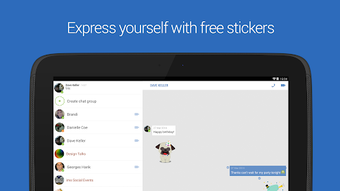
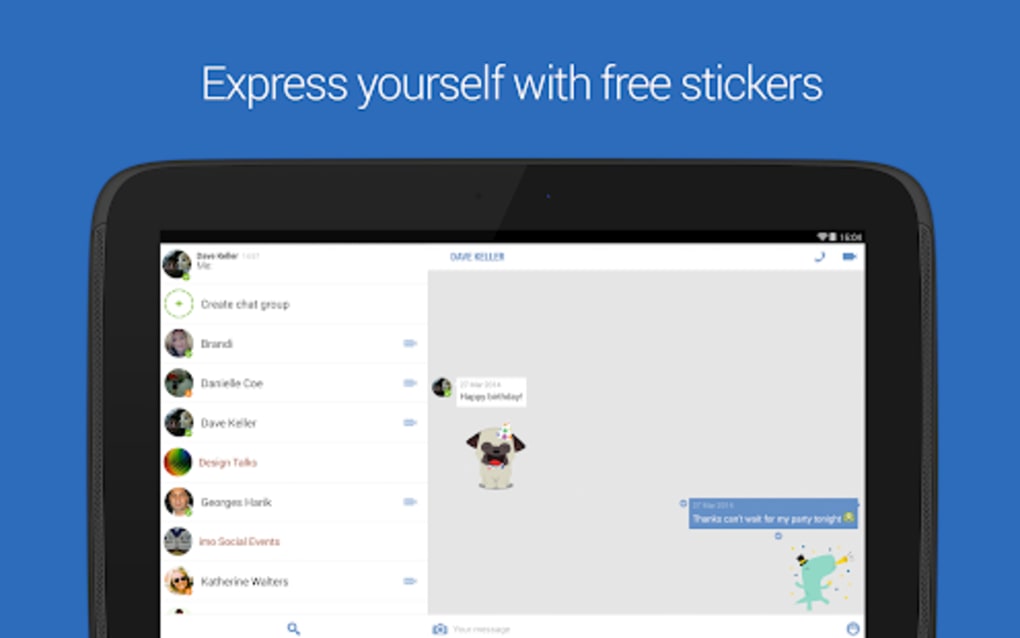
The user interface of IMO Beta is characterized by a clean, minimal design with a primary focus on chat functionality and contact visibility. The layout centers around a main chat window and a contact list, offering straightforward navigation. Users can quickly access ongoing conversations and initiate new ones with minimal steps. The workflow is optimized for speed and clarity, making it suitable for users who prioritize efficiency over customization. However, the lack of advanced settings or visual personalization may be perceived as limiting by more experienced users. The interface does not include complex menus or secondary panels, which contributes to its simplicity but may reduce flexibility in managing large contact lists. Performance observations are based on general software behavior patterns. The app is designed to operate smoothly across various network conditions, with audio quality remaining consistent even on slower connections. The developer did not specify resource usage details. Stability is expected to be maintained through regular beta updates, though no official performance benchmarks were provided. The application is built to function without requiring high CPU or RAM usage, though exact metrics were not disclosed.Compatibility & System Requirements
IMO Beta is compatible with Windows 10 and 11, macOS 10.15 and 11.0, and Android 9.0 and above. The software has been tested on a range of devices, including Samsung Galaxy S10, iPhone 12, and MacBook Pro. The latest version is 11.0.1, released on 2024-04-10. The installation size is 55.2 MB. The developer did not specify additional hardware requirements. Compatibility information was partially provided. The application supports both mobile and desktop platforms, allowing users to switch between devices seamlessly. No specific system specifications such as processor speed, RAM, or GPU requirements were listed. The developer did not provide additional system requirements. Users should ensure their devices meet the minimum OS versions to install and run the software.Pros and Cons
Pros
- Provides early access to new and upcoming features
- Supports cross-platform messaging across multiple services
- Offers secure, encrypted messaging and file sharing
- Functions on 2G, 3G, 4G, and Wi-Fi networks
- Automatically syncs device contacts with the app
- Free to download and use
- Simple, intuitive interface for quick navigation
Cons
- Limited customization options in the interface
- Lacks advanced user settings and personalization features
- Restricted functionality compared to full-featured messaging apps
- Performance details not officially disclosed
- May not suit users seeking extensive feature sets or integrations
FAQ Section
Is IMO Beta available for Windows and Mac?
Yes, IMO Beta is compatible with Windows 10 and 11, as well as macOS 10.15 and 11.0.
Can I use IMO Beta on my Android device?
Yes, the app is available for Android 9.0 and above, including tested devices like the Samsung Galaxy S10 and iPhone 12.
Is IMO Beta safe to download and use?
Yes, the application is free to download and use, and it supports encrypted messaging to protect user privacy.
How often are updates released for IMO Beta?
Updates are released periodically as new features are tested and refined. The latest version, 11.0.1, was released on 2024-04-10.
Do I need an internet connection to use IMO Beta?
Yes, the app requires an active internet connection to send and receive messages, make calls, and access features. It supports 2G, 3G, 4G, and Wi-Fi.





.png)

